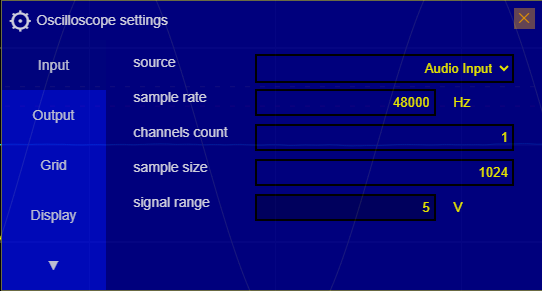
Settings  on the right menu (oscilloscope menu), then on the tab
Input:
👉 Thus you should setup the software with the actual peak volts values your sound card is setted up for, in order to read the actual Volt values on the oscilloscope.
That means to know wich is the Voltage value for the maximum and minimum digital value, according to the bit sample resolution, from 0 to 2^n-1 where n is the number of bits given by the ADC
👉 You can get more information about polarized electret microphones here : https://www.epanorama.net/circuits/microphone_powering.html#soundcard
Click on the button Settings
on the right menu (oscilloscope menu), then on the tab
Input:
ℹ️information: If the right menu is not visible, click on the upper top right button
Toggle menu
 to
expand it.
to
expand it.
Click the field Signal Range and then setup the value using the input widget. This is the
polarized
pick value, meaning a range of -value .. +value